
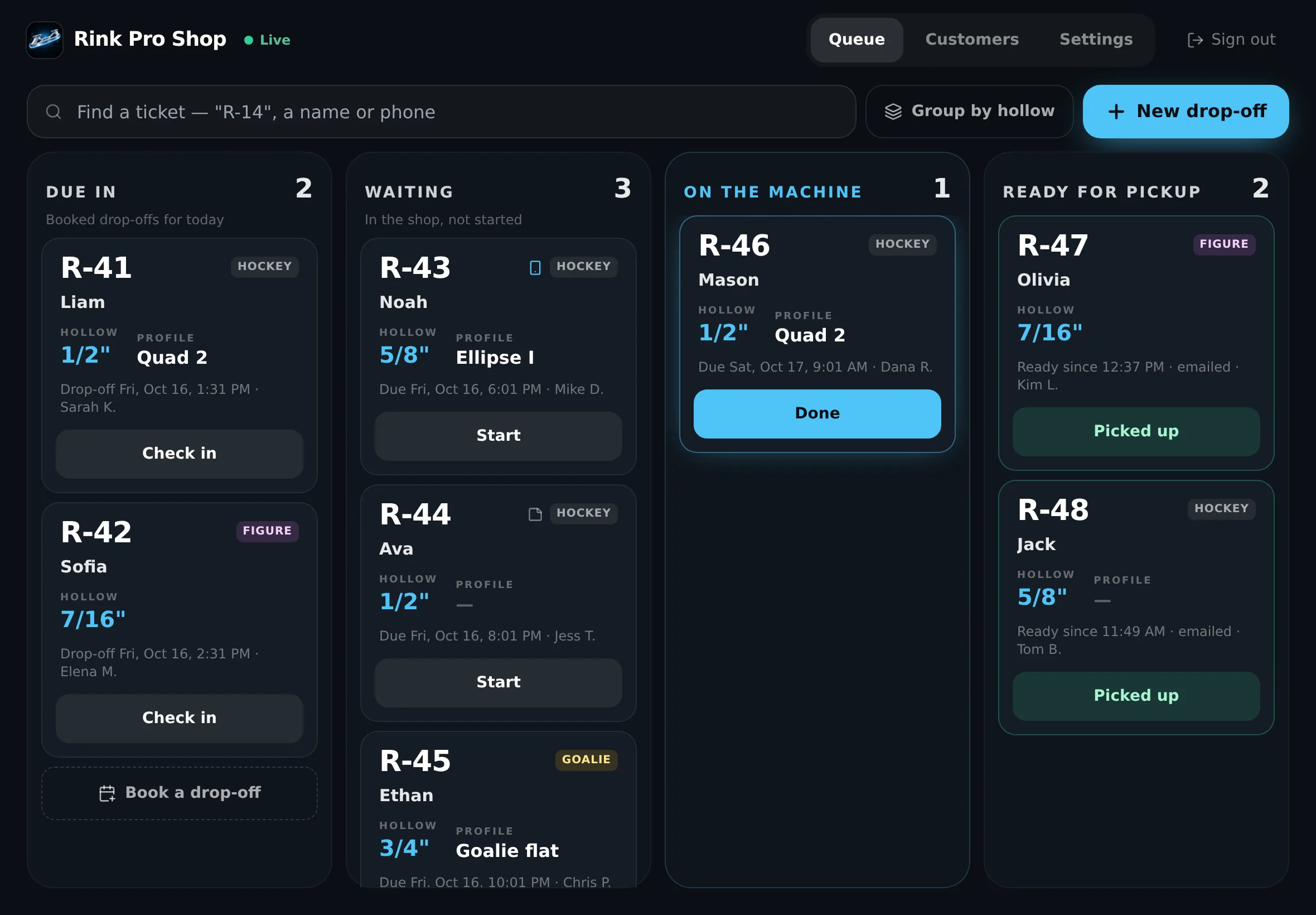
The queue board on the bench iPad. Sample shop and customers.
How a drop-off works
From booking to pickup, nobody loses track of a pair.
- 1
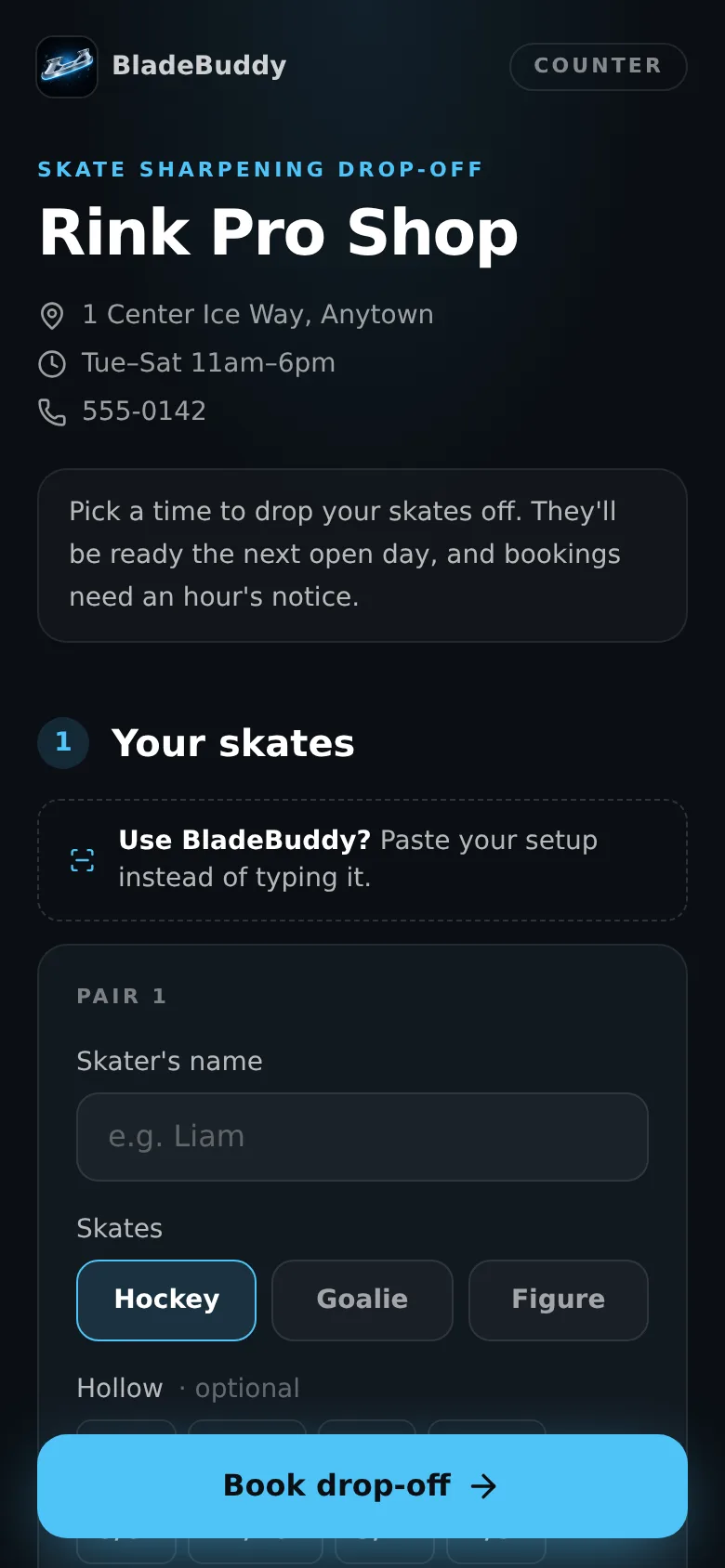
Parents book a drop-off
Your own booking page shows open drop-off windows and when the skates will be ready. Each window fills up at the number of pairs you set, so Saturday morning can't overflow.
- 2
Scan the QR at the counter
BladeBuddy users show their setup QR. One scan fills in skater, hollow, profile and notes. No app? Type a name and phone, or find a returning customer in seconds.
- 3
Work the queue
Every pair gets a short ticket number like R-14. Move it from Waiting to On the machine to Ready with one tap, on any screen in the shop.
- 4
Parents know it's ready
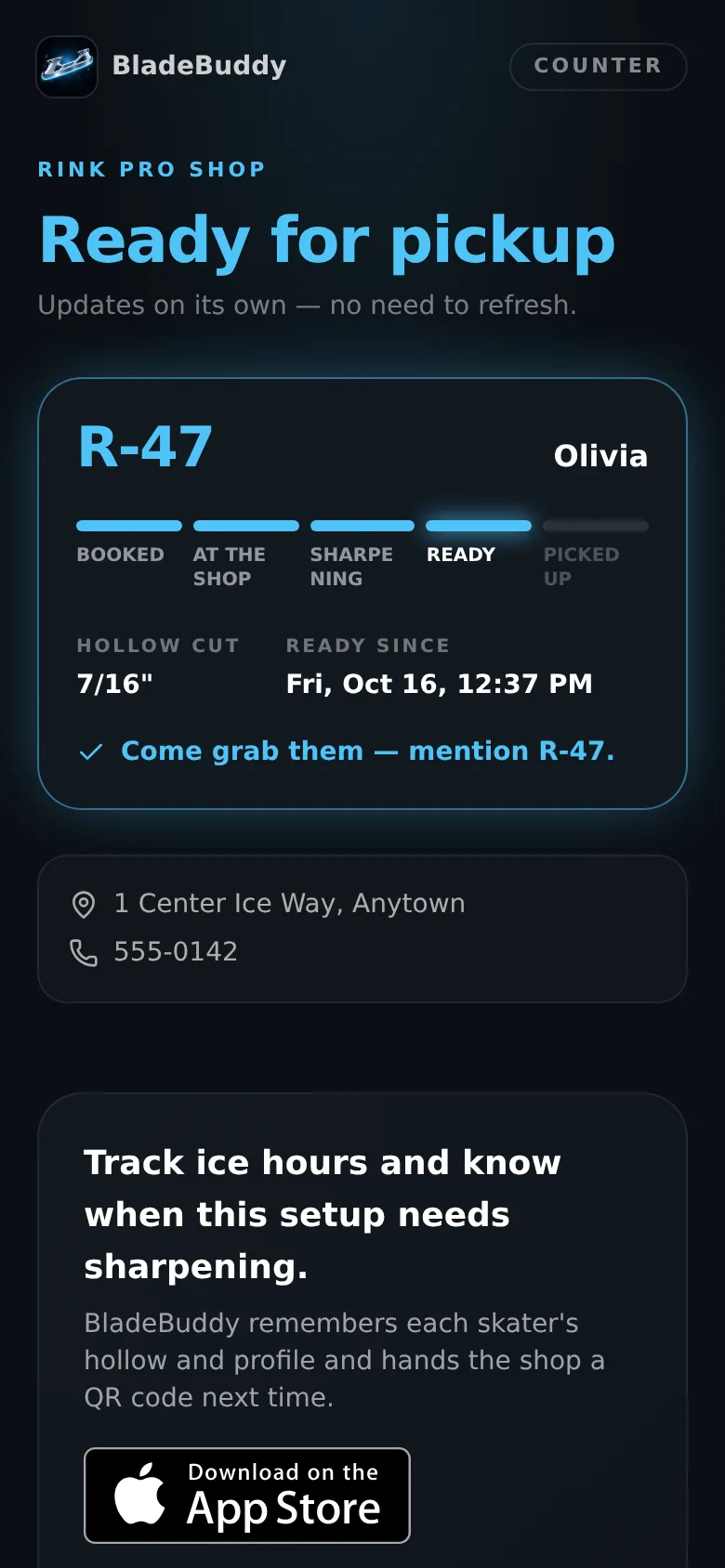
Their status link flips to Ready the moment you tap Done, with the hollow you actually cut. Fewer "are they done yet?" calls.
What's in it
Built around how a sharpening bench actually works.
QR intake
Reads the setup QR from every copy of BladeBuddy already out there. Three kids on one QR become three tickets.
Group by hollow
Line up every 1/2" pair before you redress the wheel for 5/8". Figure skates never show a profile.
Your hours, your limits
Set hours for each weekday, the drop-off window length, pairs per window, notice needed and holiday closures.
After-hours chute
Booked parents get a ticket number for the bag tag. Match it in the morning, or add unbooked pairs as walk-ins.
Ready alerts
A live status link for every ticket, plus ready emails. Each alert type can be switched on or off for your shop.
Customer log
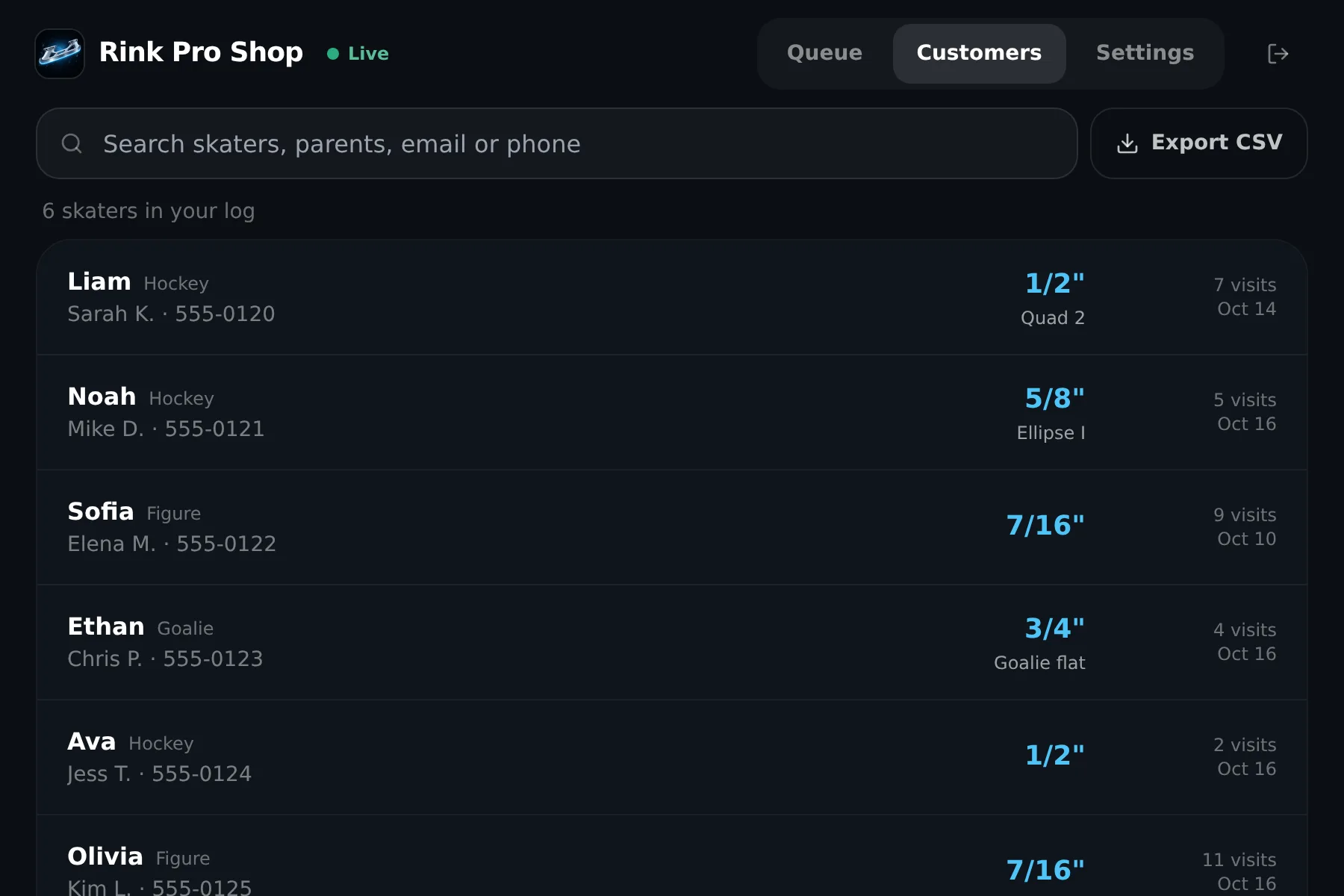
Every skater's last hollow, profile, notes and visit count, so you know what you did last time.
Runs on your iPad
Open it in Safari and add it to the Home Screen. Works on the counter laptop or a phone too. Nothing to install.
Shop passcode
One 6-digit code for the bench. Change it and every device signs out. Staff can use their own email instead.
Your data stays yours
Export your whole customer list to a spreadsheet anytime, or delete any customer who asks.
Customer log
"What did we do last time?"
Every ticket adds to your shop's own log: the skater, the parent's contact, the hollow and profile you cut, and any notes. Search by name or phone at the counter, even for families who never download the app.
Search · edit · export to CSV · delete on request
Works with the BladeBuddy app
Families arrive with their setup ready.
Today
BladeBuddy tracks each skater's hollow, profile and ice hours, and checks blade condition from a photo. Parents show you a QR instead of guessing "the usual".
Coming soon
Partner shops show up on the BladeBuddy map with a "Book a drop-off" button. When you tap Done, the sharpening can be logged in the family's app, with their OK.
Questions shops ask
What do we need to get started?
An iPad, laptop or phone with a web browser. We set up your shop with your hours and ticket letter, and you can be taking drop-offs the same day.
Do parents need the BladeBuddy app?
No. Anyone can book from your page and get a status link. Families who use BladeBuddy are faster at the counter because their QR fills in the setup.
What does it cost?
Free for founding shops through the pilot season, in exchange for honest feedback. Founding shops keep a lower price when paid plans start. No contract and no card needed.
Do we take payments through it?
No. You charge at pickup the way you do now. Counter handles the drop-offs, the queue and the alerts.
What customer information do we see?
Only what a parent gives you: their QR, or what they type when they book. The app never sends a family's history in the background.
Do we need a label printer?
No. Write the ticket number on tape or the bag tag. If your shop wants printed labels, tell us.
Want it at your counter?
Send us your shop's name and hours. We'll set up your booking page and queue, walk you through it on a quick call, and you can take your first drop-off the same day.